

Most lists of Typeform alternatives rank the same things: prettier themes, cheaper plans, friendlier logic jumps. Useful if your form is a survey. This list is for a narrower problem: your form has to calculate something. A price, a quote, an eligibility score, a savings estimate. The moment a form must do math before or after capturing the lead, the usual comparison criteria stop mattering and a different one takes over: where does the calculation logic live, and who maintains it?
Below are five tools compared against that single criterion, including the honest trade-offs. One of them takes an approach the others don't: it runs the spreadsheet you already have instead of asking you to rebuild its logic.
Where Typeform-Style Forms Hit a Wall
Typeform can calculate. It has a score variable and hidden fields, and for a simple quiz that is enough. The pain starts with real pricing logic. A quote that depends on region, quantity breaks, three product options and a discount rule turns into a chain of logic jumps and variable assignments spread across dozens of questions. There is no place to see the whole calculation at once, no way to test it apart from clicking through the form, and the person who understands the pricing usually isn't the person maintaining the form.
The irony is that in most companies this logic already exists, tested and trusted, in a spreadsheet. Someone built the quote model in Excel years ago. Rebuilding it inside a form builder means maintaining the same rules twice, and the two copies drift apart the first time sales changes a margin.
So the field splits into two camps: form builders that bolt calculations on, and tools that treat the calculation as the core and the form as its interface.
Five Typeform Alternatives, Honestly Compared
1. Tally — the generous free option
Tally has earned its reputation as the default free Typeform replacement. The free plan puts no cap on forms or submissions, and calculated fields are included in it, so a lead-scoring quiz or a simple price estimate costs nothing. The paid tier adds team workspaces, custom domains and removes Tally branding. Calculations are formula expressions attached to fields; fine for totals and scores, but a multi-sheet pricing model is beyond what you would want to express this way.
Best for: budget-conscious teams whose calculations fit in a handful of formulas.
2. Jotform — the feature heavyweight
Jotform's strength is sheer breadth: thousands of templates, payment collection, approval workflows, HIPAA options on higher tiers, and a form calculation widget that handles arithmetic across fields. The trade-off is the pricing shape. The free plan stops at 100 submissions a month across five forms, and the paid tiers (Bronze, Silver, Gold) are priced by submission volume, so a successful lead form gets more expensive as it works better. The calculation widget, like Tally's, lives inside the form; your logic is rebuilt there and maintained there.
Best for: teams that need payments, approvals and a large template library in one tool.
3. Fillout — forms on top of the tools you already use
Fillout's bet is integration depth: it writes responses natively into Airtable, Notion, Google Sheets, HubSpot and others instead of trapping them in its own database. The free plan is workable at 1,000 responses a month with unlimited seats, and it supports calculations and conditional logic in a modern multi-page editor. Like the first two, the calculations themselves are defined in Fillout, field by field.
Best for: teams whose form data must land directly in an existing database or CRM.
4. Heyflow — interactive funnels for marketing teams
Heyflow builds design-heavy, multi-step "clickflows": the interactive forms you see behind lead-generation ads for solar panels, insurance and financing offers. It includes calculator logic and strong analytics, and its templates are built for conversion rather than data collection. It is priced accordingly, as marketing software rather than a form utility, a clear step above the other tools here. Complex calculations face the same ceiling: the logic is configured click by click inside the builder.
Best for: marketing teams running paid campaigns who need polished, conversion-optimized funnels.
5. airrange — when the calculation lives in Excel or Google Sheets
airrange starts from the other end. Instead of rebuilding your pricing rules in a form builder, you upload the Excel workbook (or import a Google Sheet) that already contains them, and connect form elements to its cells. Every input a visitor changes is written into its bound cell, the workbook recalculates automatically after each change, and the results on screen update. The 40-formula quote model keeps being a 40-formula quote model; the form is just a clean interface on top of it.
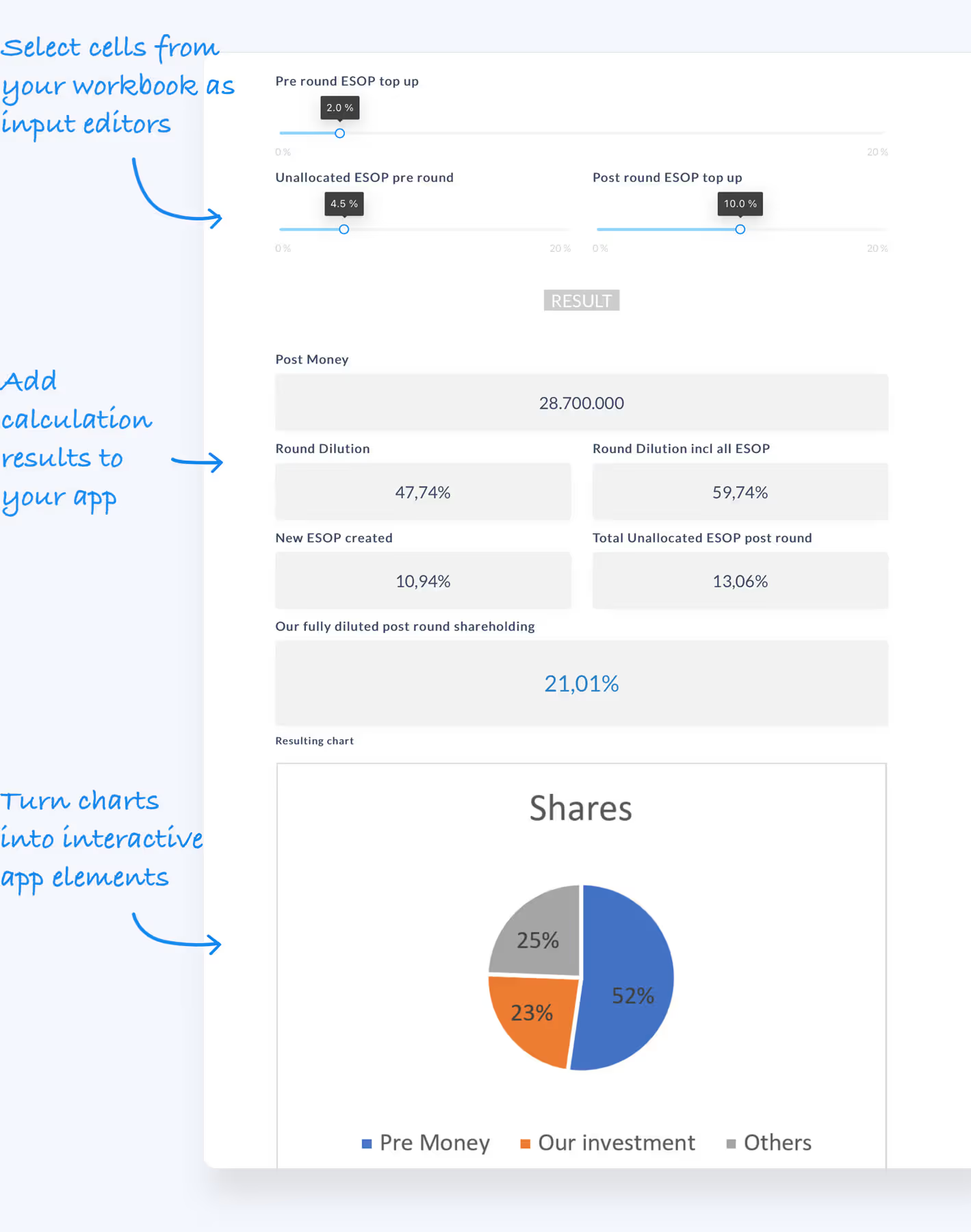
This changes who maintains the logic. When sales adjusts a discount rule, they edit the spreadsheet, and the live form follows. Labels can even show live values from the model ("Your monthly rate: {{monthly_rate}}"), so the form reads like a conversation with the calculation. The trade-off is the inverse of the other four: airrange assumes a spreadsheet exists. For a plain contact form or survey with no math in it, Tally or Fillout will get you there faster.
Best for: quotes, pricing and eligibility checks whose logic already exists in Excel or Google Sheets.
Quick Comparison
| Tool | Where the calculation lives | Pricing shape | Best fit |
|---|---|---|---|
| Tally | Formula fields in the form | Free core, paid team tier | Simple scores & totals on a budget |
| Jotform | Calculation widget in the form | By submission volume | Payments, approvals, templates |
| Fillout | Calculated fields in the form | By response volume | Forms feeding Airtable/Notion/CRM |
| Heyflow | Logic configured in the builder | Marketing-tier subscription | Paid-campaign lead funnels |
| airrange | Your Excel / Google Sheets file | Per creator, unlimited viewers | Spreadsheet-based quotes & pricing |
How the Spreadsheet-First Approach Works
If the fifth option fits your situation, the workflow looks like this. You connect your workbook, drop inputs (sliders, dropdowns, number fields) onto a page and bind each to a cell, then add result elements that read the calculated cells. The Excel form builder page shows the mechanics in more detail. Your sheets and formulas stay invisible to visitors; they only see the interface.

The lead-capture piece is built in rather than bolted on. The email element can require a business address, blocking free providers like Gmail, Yahoo and Outlook, and can verify ownership with a 6-digit code that expires after five minutes, which keeps fake addresses out of your pipeline. Once an address is verified, a flow can fire automatically: send the results by email, post to a webhook, or create the contact in HubSpot or Salesforce (CRM sync is included from the Plus plan). More on gating strategy in the lead generation use case.
Pricing is per creator, not per submission: building is free, publishing starts at €59/month, and no plan meters views or submissions. Fifty people or fifty thousand can use your quote form in a month and the price stays the same, which is exactly the property the submission-priced tools above lack.
Matching the Tool to the Job
Pick by where your logic should live. If the calculation is a few additions and a score, Tally gives you the most for free. If you need payments and approvals around the form, Jotform earns its submission pricing. If responses must land in Airtable or Notion, Fillout is built for precisely that. If you are a marketing team optimizing paid funnels, Heyflow is the specialist. And if the calculation already exists as a spreadsheet, airrange lets you ship it as an interactive form without ever translating it into someone else's logic system.
For the strategy side (why calculators out-convert static lead magnets, and which formats work), see lead generation calculators. To test the spreadsheet-first route, the fastest check is your own file: upload it at app.airrange.io, bind three inputs and one result, and see whether the model you trust survives as a form your visitors will actually finish.