

Most searches for Excel alternatives start with a bad week: a budget file broken by someone's stray edit, ten conflicting versions in an email thread, or a workbook forwarded to a person who was never supposed to see it. The instinct is to replace the tool. But before you migrate years of working models to a new platform, separate what Excel does badly from what your team actually does with Excel. In most companies the calculation engine is not the problem. The problem is that the workbook is also the user interface, the database, and the distribution format, three jobs it was never good at. This guide compares the real alternatives to Excel for business by the job you need done, including the option most lists skip: keeping Excel and replacing only its interface.
Diagnose Before You Migrate
Five complaints drive almost every Excel replacement project. Write down which ones are yours, because each points to a different tool:
- Collaboration: people overwrite each other's work, and "final_v7_FINAL.xlsx" is a running joke.
- Access control: everyone who gets the file gets all of it, including the hidden salary tab.
- Interface: non-experts break formulas, type in the wrong cells, or refuse to use the sheet at all.
- Data volume: the file takes minutes to open and recalculation freezes the laptop.
- Automation: results need to flow into other systems, and copy-paste is the current integration.
Count how many of your complaints are about sharing and input rather than calculation. If it is two or more, remember that number: it changes the answer at the end.
Alternatives to Excel, Compared by Job
Each tool below is genuinely the best at something. The honest comparison is not which one is better than Excel, but which job each one wins.
Google Sheets: collaboration first
If your main complaint is version chaos, Google Sheets solves it well. Real-time co-editing, comments, protected ranges, and automatic version history come standard, and nobody installs anything. The trade-off is capacity and depth: Google raised the ceiling to 20 million cells per spreadsheet in 2026, which is generous for trackers but still a fraction of Excel's grid of 1,048,576 rows by 16,384 columns, and large models with heavy lookups slow down noticeably earlier than in desktop Excel. Pick it when your team lives in the browser and your models are moderate in size.
Airtable: a database in spreadsheet clothing
Airtable looks like a spreadsheet but behaves like a database: every row is a record with typed fields, and you get forms, kanban and calendar views on top. That structure is exactly right when your "spreadsheet" is really a list, a content calendar, an applicant tracker, an asset inventory. It is exactly wrong for free-form modeling, because formulas live in fields, not cells, so a P&L or pricing model does not translate. Budget for the pricing shape too: the Team plan runs $20 per editor per month (billed annually) and caps bases at 50,000 records. If what you built in Excel was always secretly a tracker, this is the more honest home for it.
Smartsheet: project work in a grid
Smartsheet takes the familiar grid and points it at project and work management: Gantt charts, approval workflows, resource views, per-user licensing. Teams that were forcing project plans into Excel tend to be happier there. It is not a modeling engine, and nobody should port a financial model into it. Move a workbook here only when it is really a project plan with dates and owners.
The Python, SQL, and BI route: when the data outgrew spreadsheets
If your complaint is volume, millions of rows pulled from other systems, no spreadsheet is the answer. A database plus a BI tool such as Power BI or Looker gives you repeatable pipelines and dashboards that refresh themselves. The cost is real: you need people who write SQL or Python, and the analysts who used to adjust the logic themselves now file tickets instead. This route earns its keep for reporting at scale, not for interactive what-if models that business users own.
Keep Excel, replace its interface
Here is the option comparison lists usually miss. If your model is the asset, a quoting engine, a pricing matrix, a financial plan refined over years, then migrating means rebuilding and re-testing every formula on someone else's platform. The alternative is to keep the workbook as the calculation engine and stop using it as the interface: non-experts get a focused web app or a shared range in the browser, while the file itself stays under your control. This is the approach airrange takes, and it deserves its own section below. If you are also weighing app builders such as AppSheet, Glide, or Power Apps for this job, we compared those separately in our guide to AppSheet and Glide alternatives.
Decision Table: Symptom to Best Fit
| Your main symptom | Best fit |
|---|---|
| Version chaos, people overwriting each other | Google Sheets |
| The "spreadsheet" is really a list or tracker | Airtable |
| The workbook is a project plan with dates and owners | Smartsheet |
| Reporting on millions of rows from other systems | SQL + a BI tool |
| Non-experts break formulas or see data they shouldn't | Keep Excel, share an app or a range instead of the file |
| The model itself is the product (quotes, pricing, calculators) | Keep Excel, publish it as a web app |
Notice that the last two rows are the sharing-and-input problems from the diagnosis. If that is where most of your complaints landed, you do not have an Excel problem. You have an interface problem.
Keeping the Model: How the Interface Swap Works
airrange handles the interface swap in two directions, depending on who needs access.
For customers, prospects, or a whole department, you turn the Excel model into a web app: connect sliders, dropdowns, and result cells to your workbook, and share a link. Visitors use the inputs and see live results, but the workbook editor and your sheet structure are owner-only, so there is no way for them to browse formulas or hidden tabs. App views are not metered on any plan, which matters when a calculator sits on a public website, and hosted workbooks are stored in the EU, in Frankfurt. A workbook that must not go to any cloud can stay on your machine: the "Connect a file on your computer" option reads it directly from your device in Chrome or Edge without uploading it.
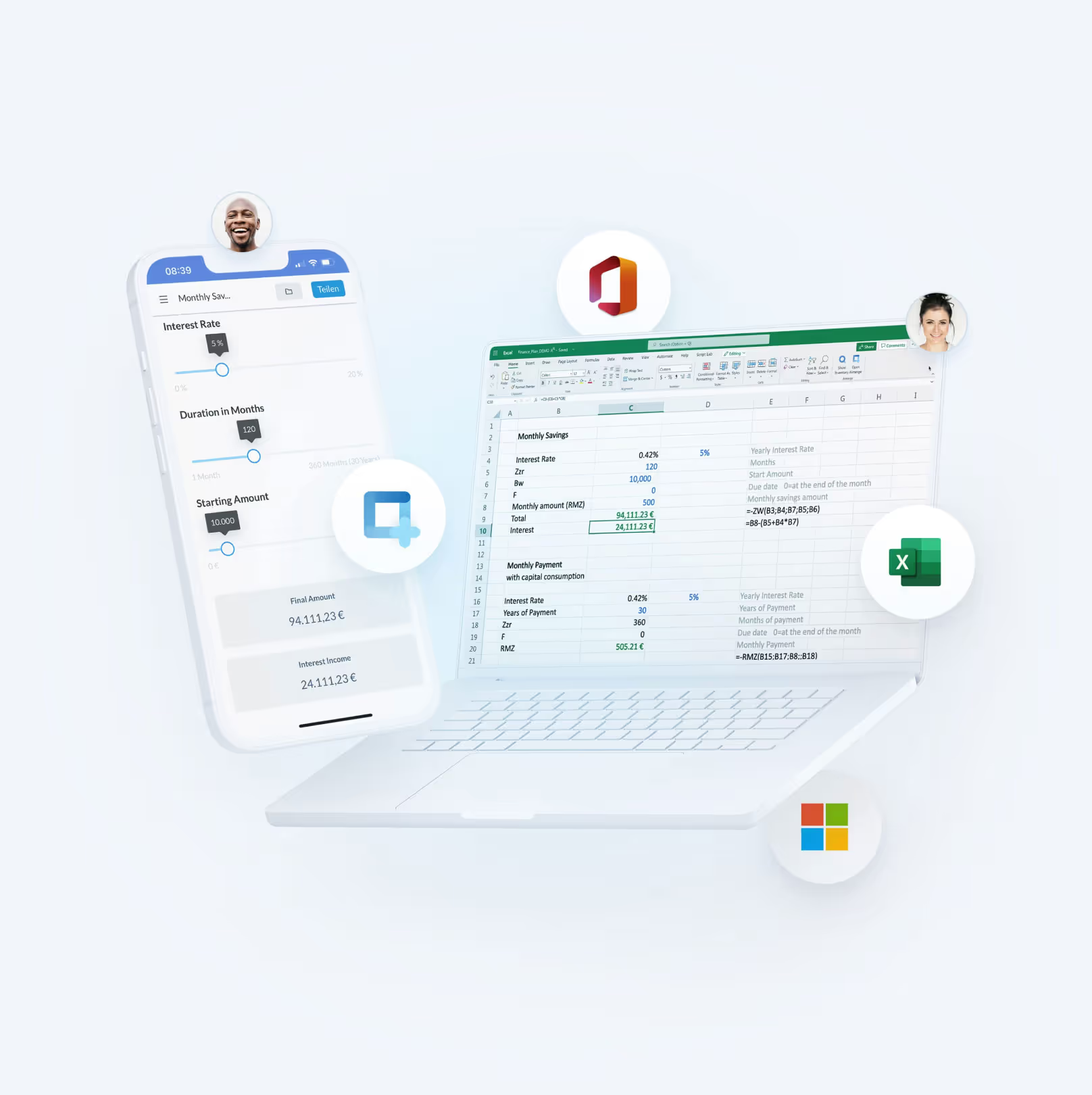
For colleagues who need to contribute numbers, there is granular sharing through the airrange Excel add-in from Microsoft's official store: you select a range and share just that, instead of the workbook. Contributors enter their numbers in the browser without needing Excel or a copy of your file, and you review each submitted change and merge the ones you accept back into the workbook, from inside Excel. It works with local files and Microsoft 365 files alike, in any Excel version that can run add-ins from the store.
Reference data can keep living where the team maintains it. A Plus-plan workbook connects to a Google Sheet whose synced worksheets appear as green, read-only tabs; click Sync now and published apps pick up the fresh numbers on their next load, without republishing.
Where to Start
Run the diagnosis honestly before you commit to a migration. If your complaints are about volume, go to a database. If your Excel files were never really models, Airtable or Smartsheet will fit better than Excel ever did. But if the calculation logic is the part that works, test the cheaper hypothesis first: keep the model, change the interface. Take one workbook you currently email around, share a single range or publish one calculator from it this week, and see whether the complaints stop. That experiment costs an afternoon; a platform migration costs a quarter.