

Most inventory management still runs on a spreadsheet, and for good reason: the reorder points, supplier prices, and min-stock formulas are already there, tuned over years of real orders. Excel inventory management breaks somewhere else, at the access layer. The people who move the boxes don't sit in front of Excel. They stand in an aisle with a phone, and the one thing they need, the current count for bin 14, lives in a file they can't open, shouldn't edit, and definitely shouldn't scroll through, because the same sheet holds purchase prices and supplier terms. This guide shows how to build an inventory management app from that workbook: a mobile web view for checking and updating stock, no code, and the master file stays yours.
The workbook is the database. It shouldn't be the interface.
Two things go wrong when the spreadsheet itself is handed to the warehouse. The first is copies. A file on a network share or in an email thread forks the moment two people open it, and a stock count that is three days stale is worse than no count at all, because purchasing will trust it. The second is exposure. An inventory sheet is rarely just quantities; margins, supplier conditions, and cost prices sit two columns over. Hiding those columns is a display setting, and sheet protection can be stripped with tools anyone can find in a minute of searching.
There is also a plainer problem: a 40-column sheet is unusable on a phone. Pinch-zooming to cell Q1487 while holding a scanner is how wrong counts happen. The fix is not a better-protected file. It is a different interface on top of the same file.
From Excel table to inventory management app
The build takes an afternoon, because the hard part, your logic, already exists.
First, make sure the inventory lives in a proper Excel table: one row per SKU, columns for description, bin, on-hand quantity, minimum stock. If your reorder formulas already read from such a table, you are most of the way there.
Second, connect the workbook to airrange and select that table. You choose an app view to put on top of it. For stock checks, the grid view opens the table in database app mode, with a detail dialog per row so staff can scan, view, or add records without seeing the sheet around them. A pivot view can sit next to it for the warehouse manager who thinks in totals per category rather than rows.
Third, decide what each screen shows. You select the ranges and columns that go into the app; everything you don't select is simply not there. The cost-price column doesn't need to be hidden from the picker's view, because it was never shared into it. Shared apps are responsive out of the box, and in the designer you can fine-tune mobile behavior, down to different column layouts or hiding elements on small screens.
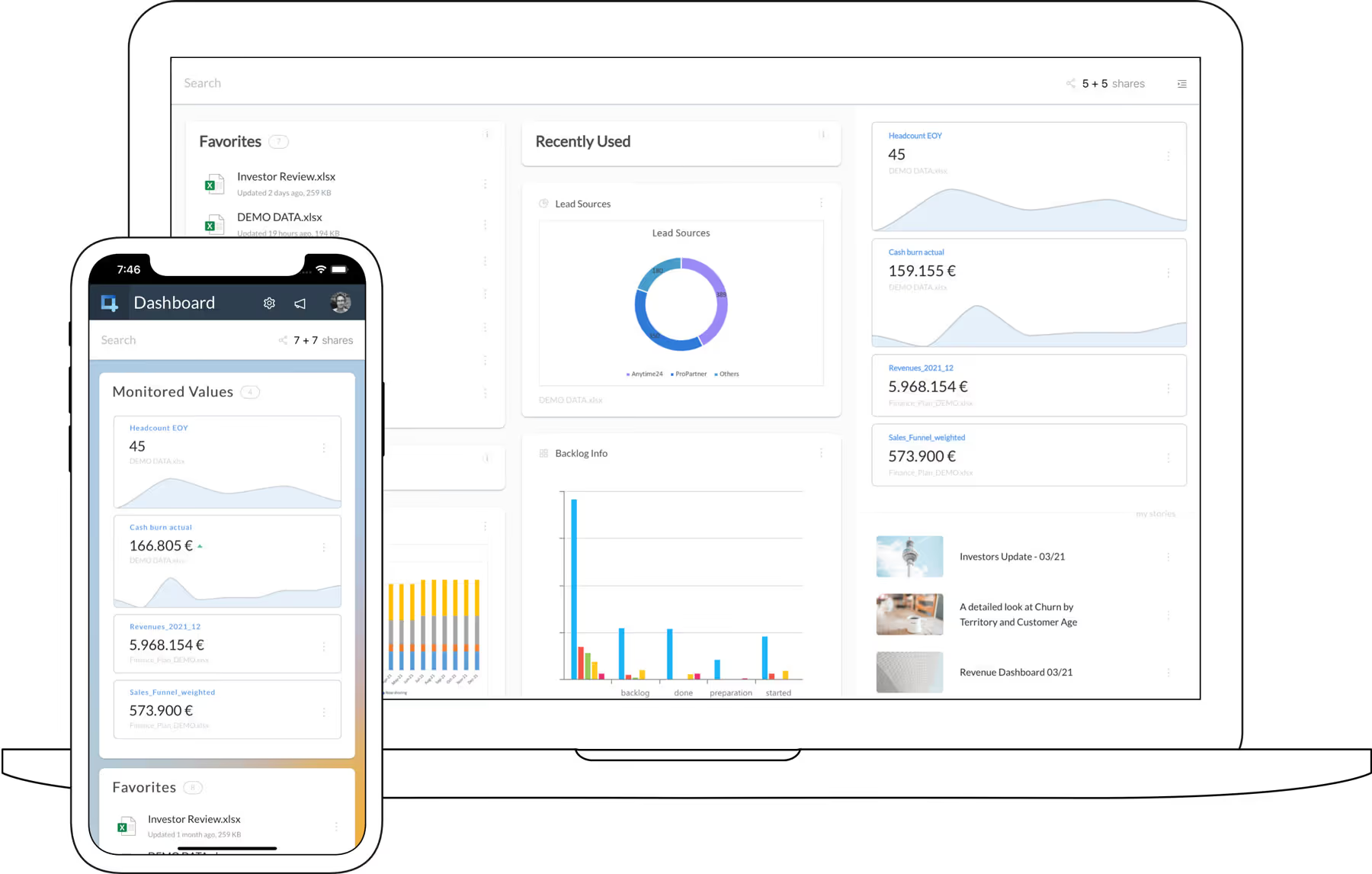
Then share it as a link. Whoever opens it sees an app with the fields you chose, not a spreadsheet. Formulas are never delivered to the recipient's browser, so there is nothing to unhide or copy out.
One inventory, a different slice per role
This is where granular sharing earns its name. You can create several links for the same app, each with its own settings, all fed by the same underlying workbook. In a warehouse that typically looks like this:
- A read-only link for anyone who just checks availability. They see the current counts; every input is locked.
- An editable link for the people who actually book stock movements. Quantities they enter feed the cells your formulas read, and results recalculate while they type, so a low-stock flag shows up before the person has left the aisle.
- A pivot or dashboard view for the manager, who never needs row-level access.
Access control sits on the link itself, in four levels, from public up to "Specific people or domains" and "Only my company", which admits anyone signed in with a Microsoft work account from your organization. That last one is usually right for internal warehouse tools: no passwords to manage, no accounts to create.
Plan the rollout around one practical constraint. Apps built on a local Excel file, one that never left your device, can only be shared read-only, since the app has no way to reach the live file. For staff to update stock, the workbook needs to live where the app can reach it: in Microsoft 365, or hosted encrypted in the EU. Either way the file itself is never sent to anyone, and recipients never see it.
Who changed bin 14, and when
In plain Excel, once a cell value is overwritten, it's gone. For inventory that is a real cost: a cycle count that disagrees with the system starts an argument nobody can settle, because nobody can say when the on-hand figure last changed or who changed it. Airrange adds a memory layer to the shared elements, collecting the full change history of each one automatically. When a count looks off, you look up the trail instead of reconstructing it from memory and forwarded emails.
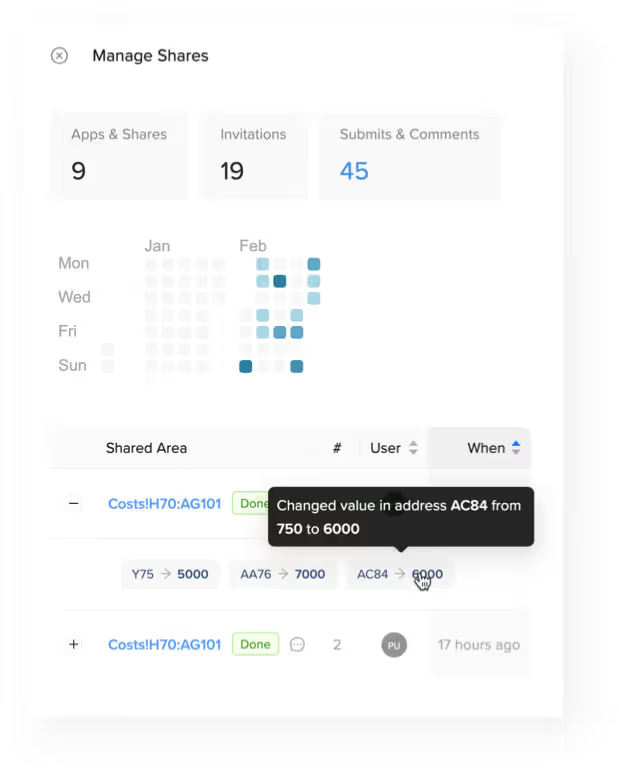
The history also changes how it feels to open up editing rights. The reason inventory sheets end up locked down to one person is fear of silent damage. An edit trail per cell makes wider write access a reviewable decision instead of a leap of faith.
Publishing changes is a decision, not an accident
You will keep working in the master workbook: new SKUs, a reorganized bin layout, adjusted reorder points. None of that reaches the shared app on its own. A share link serves the snapshot you last published, and your edits go out when you click "Update these invitation links", which pushes the current state to every link of the app at once. Half-finished restructuring never flickers across a picker's phone, and when the new layout is ready, everyone gets it on their next open.
Stock levels are the deliberate exception. Rows of a connected table are not part of the snapshot; they are fetched fresh every time the app opens. Keep the stock list as a connected table in a hosted workbook and the counts people see are current on every open, while your layout and formulas stay safely versioned behind the publish button.
Start with the count sheet you already have
You don't need to model anything new. Take the workbook that already runs your stock, put a grid view on its main table, and share a read-only link to two people on the floor as a pilot; a free-plan link expires after a day, which is enough to see whether the phone view survives contact with the warehouse. If it does, the editable links, the role slices, and the change history are configuration, not a project. The spreadsheet keeps doing what it is good at, quietly, as the backend.