

Somewhere on your website there is probably a page that says "Contact us for pricing." By the time a prospect lands on it, they have usually read two or three competitors' price pages, and a form promising a callback is a poor answer to the question they actually asked. A pricing calculator changes the exchange: the visitor enters their own numbers and sees a price immediately. This post looks at what hidden pricing really costs, why the custom-coded version ages badly, and how to build a pricing calculator for your website straight from the spreadsheet your team already quotes from.
What "Contact Us for Pricing" Actually Costs
B2B buyers do most of their evaluation before they ever talk to sales. They compare vendors in a spreadsheet of their own, and a vendor whose cost they cannot estimate tends to fall off the shortlist, not out of malice, but because a blank cell is hard to defend in a procurement meeting. Hidden pricing also carries a signal: to many buyers it reads as "expensive" or "complicated," even when neither is true.
The usual objection is that your pricing is too dependent on volume, options, and customer specifics for a public rate card. That objection is correct, and it is exactly the case for a calculator rather than a static table. A calculator handles the dependencies: the visitor describes their situation, the model computes their price. You get transparency without flattening a nuanced pricing model into one misleading number.
The Hidden Cost of Custom-Coding a Calculator
The obvious route is a developer project: spec the pricing rules, build a form, write the calculation in JavaScript, style it, ship it. The build itself takes days to weeks depending on how many tiers, discounts, and edge cases your pricing has. That cost is visible, and you can plan for it.
The cost that surprises teams comes later. Your pricing logic now lives in two places: the spreadsheet your sales team quotes from, and the coded copy on the website. Every price adjustment, every new tier, every changed volume break now needs a developer ticket, a deploy, and a test that both versions still agree. In practice they drift, and a prospect who saw one price on your website and gets a different one in the formal quote trusts neither.
There is a quieter problem too: calculation logic written in frontend JavaScript ships to the browser. Anyone curious enough to open the developer tools can read your discount thresholds and margin structure in the source.
The Pricing Model You Need Already Exists
Build-versus-buy is the wrong framing here, because you are not choosing between building a pricing model and buying one. The model exists. It is the Excel workbook or Google Sheet your team has quoted from for years, with the tiered rates, regional multipliers, and surcharge rules already encoded and already trusted. Rebuilding that in code is translation work, and translation adds bugs while subtracting nothing from the maintenance burden.
The better question is: what is the shortest path from that workbook to something a website visitor can use?
From Spreadsheet to Website Pricing Calculator
With airrange, the workbook becomes the calculator's engine directly. You upload the Excel file or connect a Google Sheet, mark which cells are inputs and which are results, and arrange them into an interface with drag and drop: your branding, plain controls, no spreadsheet grid. The formulas stay 100% intact and keep calculating exactly as they do in Excel, but they run behind the interface. Visitors see inputs and a price; the logic itself is never delivered as readable frontend code.
The input controls are built for this job. A slider's minimum and maximum can be bound to cells, so if your model caps order quantities differently per product line, the slider range follows the calculation instead of being hardcoded. By default the price recalculates when the visitor releases the slider; for fast models you can switch on instant calculation so the number updates live while dragging, which is the "playing with the numbers" feel that keeps visitors engaged.
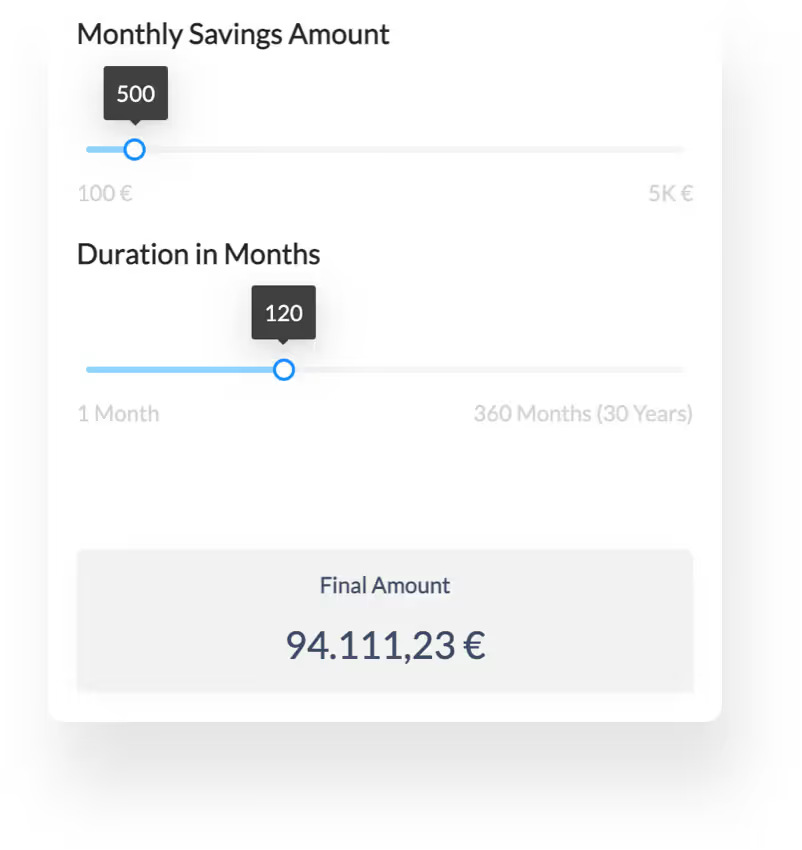
Publishing is a public share link, and every published app comes with an iframe embed code that drops into WordPress, Webflow, Wix, or any CMS with a custom-HTML block. The embed resizes itself to fit its content, and if your CMS strips scripts from pasted code it falls back to a scrollable frame rather than breaking. The calculator builder page shows the building blocks in more detail, and Excel to web app covers the broader conversion path. Building is free; publishing needs a paid plan, starting at €59 per month (Pro, billed annually).
When Prices Change, Nobody Files a Ticket
This is where the spreadsheet-as-engine approach pays off most. Published links and embeds serve a snapshot of the app, not your live working copy, so you can edit freely without half-finished changes appearing on your website. When the new price list is ready, you update the workbook and click "Update these invitation links." That one click pushes a fresh snapshot to every share link and every embed of the app at once.
Compare that to the custom-coded version of the same afternoon: write the ticket, wait for the sprint, review the deploy, re-test the edge cases. With the calculator running on the workbook itself, the person who owns pricing ships the price change, and the website and the sales team quote from the same model by construction.
Saved Quotes and the Optional Email Gate
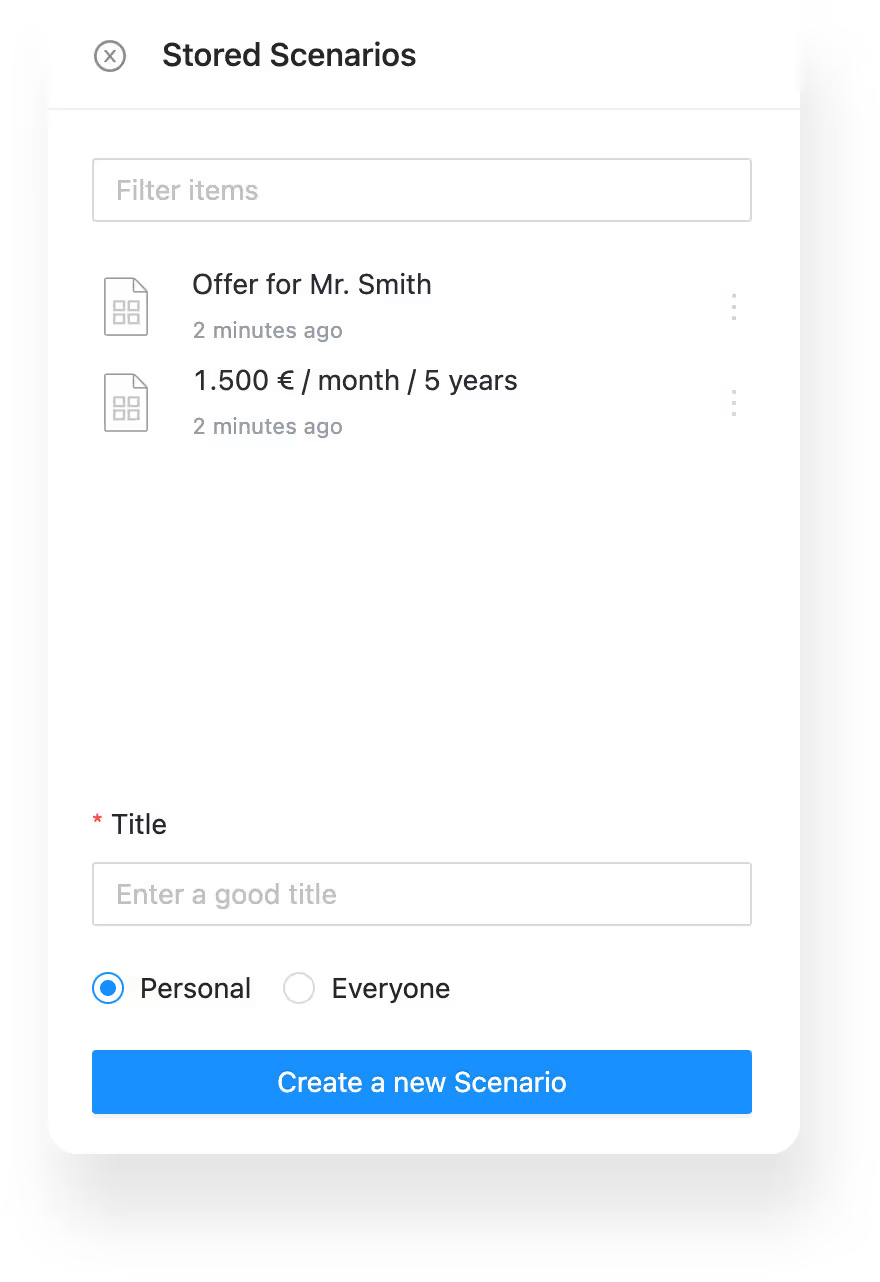
A price a visitor configures is worth keeping. Every airrange app can save scenarios: a snapshot of all input values under a name, each with its own link. A prospect can save their configuration and forward the link to the colleague who controls the budget, who opens the calculator in exactly that state, same inputs, same price. Your sales team can use the same mechanism in reverse and send "here is the configuration we discussed" links instead of PDFs that go stale. An email action can send the current state automatically, optionally with a PDF summary attached.
You can also add lead capture: show the price range openly and put the detailed quote behind an email field, verified with a 6-digit code so made-up addresses never reach your pipeline. From the Plus plan, a flow can create or update the contact in HubSpot or Salesforce with every input the prospect entered. Use this deliberately, though. A pricing calculator's first job is answering the price question, and gating it too early recreates the contact-form problem you were solving. If lead generation is the primary goal, that is a different build, covered in our post on lead generation calculators.
Where to Start
Take the workbook your team quotes from, copy it, and strip the copy down to the inputs a prospect can actually answer: quantity, options, term. That becomes version one of the calculator on your pricing page. The price quotes use case walks through a full setup with examples. After a month, compare what the page produced against the contact form it replaced: fewer, better conversations tend to show up first, because the prospects who do reach out have already seen a number they can live with.